

How Do I Get More Google Reviews for My Business?
If you’re a small business owner looking to stand out online, Google reviews can make a huge difference. Reviews don’t just build trust with potential customers. They also influence where your business shows up in local Google search results. In fact, businesses with more positive reviews tend to rank higher and attract more clicks.
So how can you get more Google reviews without sounding desperate or pushy?
At 1 BIG WEB Design Marketing And Consulting, we help business owners grow their visibility on Google every day, and here’s a simple guide to help you do the same.
1. Ask at the Right Time
Timing is everything. The best time to ask for a review is right after your customer has had a positive experience. This could be after a service is completed, a product is delivered, or a problem is successfully resolved. If they’re smiling, that’s your moment.
Tip: Ask in person, through a follow-up email, or in a thank-you text message. Keep it natural and appreciative.
2. Make It Easy
Don’t expect customers to go hunting for your Google profile. Instead, give them a direct link to your review page.
You can generate a direct link to your Google review page and include it in:
- Email signatures
- Receipts or invoices
- Follow-up messages
- Your website and social media bios
A simple “We’d love your feedback! Please leave us a quick review” goes a long way.
3. Incentivize… Carefully
While you can’t offer rewards or discounts in exchange for reviews (that’s against Google’s guidelines), you can run general promotions that encourage engagement.
Example:
“We love hearing from our customers! Leave us a review to help us serve you better.”
This way, you’re encouraging feedback without crossing any ethical or policy lines.
4. Respond to Every Review
Replying to both positive and negative reviews shows that you care and are actively engaged with your audience. This builds trust and can even turn unhappy customers into loyal ones.
Also, when potential customers see that you’re responsive, they’re more likely to leave a review of their own.
5. Train Your Team to Ask
If you have staff interacting with customers, train them to politely request reviews after positive experiences. A quick:
“Hey, we’d really appreciate a quick Google review” can plant the seed.
Make sure your team knows where the link is and how to share it.
6. Display Reviews on Your Website
When visitors see other happy customers on your website, it reinforces social proof. It also subtly encourages them to leave their own reviews if they become customers.
You can embed your Google reviews on your site or use a plugin to showcase them automatically.
7. Be Consistent (Not Pushy)
Don’t send one blast asking for 20 reviews in a day. Google may see that as suspicious. Instead, build it into your everyday customer follow-up. Slow and steady wins the race here.
Final Thoughts
Getting more Google reviews takes a little intention, but it doesn’t have to be complicated. Focus on providing great service, making it easy for happy customers to leave feedback, and showing appreciation when they do.
If you need help creating a review request strategy or adding review links and widgets to your website, 1 BIG WEB Design Firm is here to help.
We specialize in helping local businesses stand out on Google and build trust online.
Want more customers to find and trust your business?
Let’s talk.

Branding vs. Marketing: What’s the Difference and Why It Matters
When building a successful business, you often hear about the importance of branding and marketing. These terms are frequently used together (and sometimes even interchangeably) but they are not the same. In fact, understanding the difference between branding and marketing is one of the first steps toward growing a business that lasts.
At 1 BIG WEB Design Marketing And Consulting, we work with local businesses every day who are confused about where to start. Should they focus on SEO or logos? Facebook ads or business cards? The answer depends on whether you’re working on your brand or your marketing. Let’s break it down.
What Is Branding?
Branding is the core identity of your business. It’s how people feel about your business when they hear your name, see your logo, or interact with your products or services. It’s not just visual. It’s emotional. Branding includes:
- Your business name
- Logo and color scheme
- Tone of voice and messaging
- Core values
- Customer experience
- Reputation
Branding is the why behind what you do. It’s the gut feeling people get when they think about your business. Are you bold and disruptive? Trustworthy and traditional? Friendly and fun? Your brand answers that question.
Think of branding as the foundation. Without it, everything else (your ads, your content, your social media) can feel scattered or inconsistent.
What Is Marketing?
Marketing is how you promote your brand and get it in front of the right audience. It’s the strategy, tools, and tactics you use to reach customers and drive sales. Marketing includes:
- Social media campaigns
- Email newsletters
- SEO and website content
- Paid ads (Google, Facebook, etc.)
- Direct mail, radio, or print ads
- Influencer or affiliate partnerships
If branding is the why, marketing is the how. You’re telling the world what your business offers, who it helps, and why they should choose you over the competition.
Marketing tends to be more fast-paced and tactical. You can change a marketing strategy quickly if it’s not working. But branding is longer-term. It’s about building trust and recognition over time.
How Branding and Marketing Work Together
Branding and marketing are two sides of the same coin. Without a strong brand, your marketing feels hollow. Without effective marketing, your brand doesn’t reach anyone.
Here’s how they support each other:
- Consistency: Branding ensures that all your marketing materials look, feel, and sound aligned.
- Recognition: Marketing gets your branded message in front of more people.
- Trust: A strong brand builds trust, and good marketing reinforces it with real-world results.
- Conversions: Branding brings customers to the door; marketing helps them take action.
Think of branding as planting a tree and marketing as watering it. One without the other won’t lead to sustainable growth.
Final Thoughts
Understanding the difference between branding and marketing is crucial for any business owner. Branding is who you are; marketing is how you share that with the world. When both are done right, they create a powerful engine for growth and connection.
If you’re a business owner and you’re not sure where to start, whether with branding, marketing, or both, 1 BIG WEB Design Firm can help guide the way. We specialize in building smart marketing strategies that align with who you are and who you want to reach.
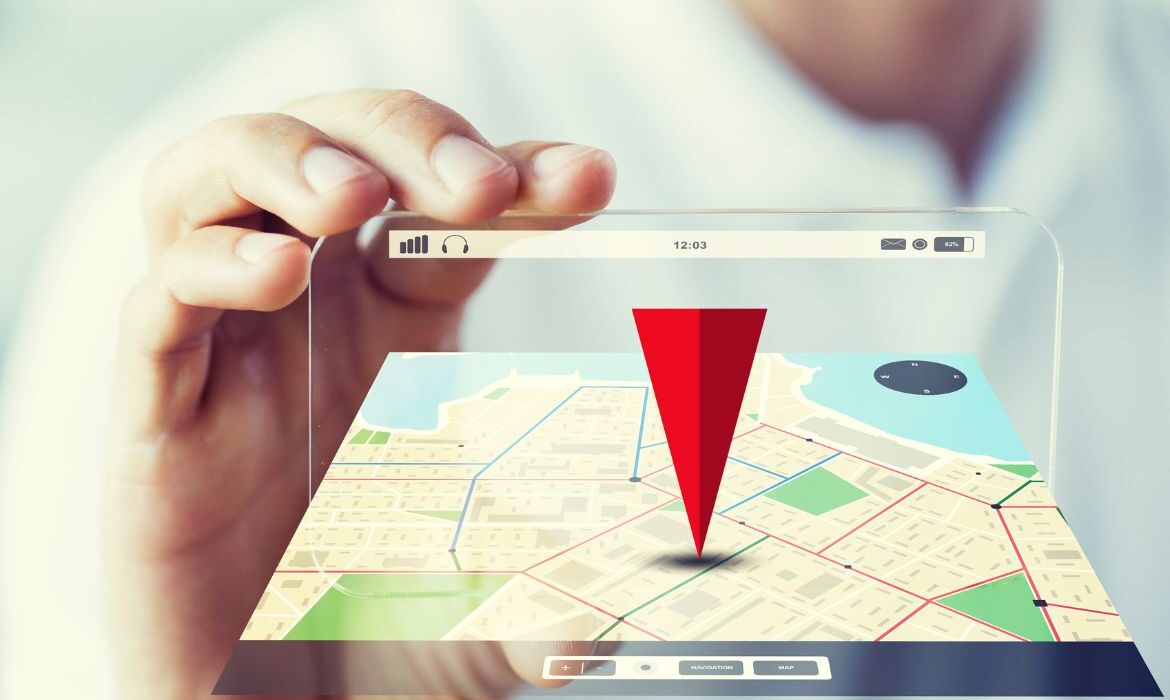
How Do I Show Up on Google Maps?
If you’re a local business owner, one of the most valuable things you can do is make sure your business shows up on Google Maps. Whether someone’s searching for a nearby service, a restaurant, or a store, Google Maps is often the first place people turn. If your business isn’t listed, or if it’s listed incorrectly, you could be missing out on customers every day.
Here’s how to make sure your business shows up and stands out on Google Maps.
1. Create or Claim Your Google Business Profile
The first step is to either create a new Google Business Profile or claim an existing one. This is the official listing Google uses to show businesses in local search results and Maps.
- Go to google.com/business
- Sign in with your Google account
- Search for your business name
- If it already exists, claim it. If not, follow the steps to add a new listing
You’ll need to verify your ownership, usually by submitting a video of the business location surroundings, proof that you have access to the location (unlocking the door), interior documentation, etc.
2. Enter Complete and Accurate Business Info
Once you’re verified, make sure all your information is correct:
- Business name
- Address (must be a physical location for Google Maps)
- Phone number
- Website
- Business category
- Hours of operation
Accuracy is critical. Google rewards businesses that provide consistent and complete data.
3. Add Photos of Your Business
Photos help build trust and make your listing more attractive. Upload pictures of:
- Your storefront or entrance
- Interior shots
- Products or services
- Team members (if relevant)
Businesses with photos receive more clicks and engagement than those without.
4. Get Google Reviews
Google Maps heavily favors businesses with good reviews. Ask happy customers to leave a review on your Google listing.
Tip: Respond to reviews (positive or negative) to show you’re active and value feedback.
5. Use Relevant Keywords in Your Profile
Your business description is an opportunity to include local keywords that describe what you do. For example:
“We’re a family-owned Italian restaurant in downtown San Diego offering fresh pasta, wood-fired pizza, and craft cocktails.”
This helps Google match your listing with relevant searches.
6. Post Regular Updates
You can use your Google Business Profile to post updates, offers, events, or announcements. It’s a great way to stay visible and engage potential customers right from the Maps listing.
7. Make Sure Your Website and Listings Match
Google likes consistency. Ensure your name, address, and phone number (NAP) are exactly the same on your website, social media, and other online directories.
8. Optimize for Mobile and Local SEO
Most people searching on Maps are on their phones. Make sure your website loads quickly, is mobile-friendly, and includes your city or neighborhood in the copy.
Want Help Getting Your Business Found?
At the end of the day, showing up on Google Maps isn’t just about being seen, it’s about being chosen. If you want help optimizing your Google Business Profile, improving your local SEO, or showing up more prominently in local search, 1 BIG WEB Design Marketing And Consulting can help.
Let’s get your business on the map…literally.

Do I Really Need a Blog on My Business Website?
If you’re a small business owner, you’ve probably asked yourself at some point: “Do I really need a blog on my website?” You’re busy running your business. Writing articles might seem like extra work with no clear return.
But here’s the truth: a blog isn’t just a “nice to have”. It’s a powerful marketing tool that can drive growth, build trust, and help you outrank your competitors online.
At 1 BIG WEB Design Marketing And Consulting, we talk to business owners every day who want more leads, more website traffic, and better Google rankings. One of the most overlooked solutions? A simple, well-maintained blog.
Here’s why a blog can be a game-changer for your business.
1. Blogs Help You Show Up in Google Searches
Think about how your customers find you. They’re typing questions into Google like:
- “Best plumber in San Diego”
- “How to get rid of ants naturally”
- “Affordable tax help near me”
If your website doesn’t have content that answers those questions, Google won’t recommend you. But if your blog does, it increases your visibility and can drive organic (free!) traffic to your site. That means more eyes on your business, more leads, and ultimately, more sales.
Each blog post is a chance to target a new keyword or search phrase that your customers are already using.
2. It Builds Trust With Potential Customers
Customers don’t just buy from businesses. They buy from businesses they trust. A blog allows you to show off your knowledge, offer helpful tips, and position yourself as a reliable expert in your field.
Whether you’re a contractor, a bakery owner, or a personal trainer, answering common customer questions through blog posts helps build credibility. And when customers trust you, they’re more likely to choose you.
3. It Keeps Your Website Fresh
Google likes websites that are active and regularly updated. A blog is one of the easiest ways to show search engines that your business is alive and thriving.
Fresh content signals to Google that your site is current and relevant. Plus, a regularly updated blog helps you avoid the dreaded “stale website” syndrome (the kind that makes visitors wonder if you’re still in business).
4. It Gives You Content to Share on Social Media and Email
Running out of ideas for social posts? Blog to the rescue.
Every blog post gives you something valuable to share on your social media channels, email newsletters, or even in conversations with prospects. Instead of always asking people to “buy now,” you can give them something helpful like tips, how-tos, or industry insights which keeps them engaged with your brand.
5. Your Competitors Are Probably Doing It
If your competition has a blog and you don’t, guess who’s more likely to show up on Google?
Even if they’re not better than you, they’re probably getting more web traffic simply because they’ve created content that answers the questions people are searching for. Don’t give up ground to them unnecessarily.
A blog levels the playing field (or even tilts it in your favor).
6. It Works While You Sleep
Unlike social media posts that disappear after a day or two, blog posts continue to bring traffic for months or even years after they’re published. It’s what marketers call evergreen content.
That one blog post you write today might bring in new leads next week, next month, or even next year without spending another dime.
So… Do You Really Need a Blog?
If you want to:
- Attract more traffic to your website,
- Build trust with potential customers,
- Improve your Google rankings, and
- Stand out from your competitors…
Then yes…A blog is absolutely worth it.
And the best part? You don’t need to write every post yourself. Many business owners team up with professionals who know how to write blog content that’s not only helpful but also optimized for search engines.
We have created blog strategies and written content for many of our clients. See some of our results.
At 1 BIG WEB Design Firm, we help small businesses like yours create strategic blog content that brings results without the fluff. If you’re curious about how a blog could benefit your specific business, we’d love to chat.

What’s the Best Website Layout for a Service Business?
When it comes to building a high-performing website for your service-based business, layout matters a lot. At 1 BIG WEB Design Marketing And Consulting, we’ve worked with countless service providers across industries, and we’ve seen firsthand what works (and what doesn’t) when it comes to turning website visitors into paying customers.
Whether you’re a contractor, law firm, wellness coach, financial advisor, or cleaning service, the right layout can build trust, guide users to take action, and make your business look more professional and credible.
So what is the best website layout for a service business?
Let’s break it down.
1. Clean Header with Clear Contact Info
Your website’s header is prime real estate. It should include:
- Your business name or logo
- A simple navigation menu (no more than 5–6 links)
- A click-to-call phone number
- Possibly a “Get a Quote” or “Book Now” button
Most visitors want answers quickly so don’t make them dig for your phone number.
2. Attention-Grabbing Hero Section
Right beneath the header is your hero section (the first thing people see). This is your moment to connect.
The formula:
- One bold headline that explains what you do
- A short subheadline with a key benefit
- A strong call-to-action button
Example:
“Trusted Plumbers in San Diego – Fast, Reliable & Affordable.
[Request a Free Estimate]”
A strong hero section immediately tells people they’re in the right place.
3. Highlight Services Clearly (and Quickly)
Right after the hero, show what you offer. Use:
- Icons or images to break up text
- Short service descriptions
- Links to full service pages if applicable
Don’t bury this information. Most visitors are scanning for quick answers.
4. Trust Builders: Reviews, Awards, and Logos
You need to establish credibility fast. This section should include:
- Customer testimonials
- Star ratings or review counts
- Logos of partner companies or certifications
- Before & after photos, if applicable
This social proof goes a long way in helping new customers trust you.
5. Clear Call to Action (CTA)
Every page should have a primary call to action and it should be consistent. Whether it’s:
- “Book a Free Call”
- “Request a Quote”
- “Schedule a Consultation”
The CTA should appear multiple times: in the hero section, mid-page, and again at the bottom. Make it easy for people to take the next step.
6. About Section with a Personal Touch
Service businesses thrive on connection. A short About Us section can help humanize your business. Include:
- A team photo or owner headshot
- A short story or mission statement
- Why you do what you do
This helps build rapport before they ever pick up the phone.
7. FAQ Section to Overcome Objections
You can reduce customer hesitation by answering their common concerns up front. Think:
- “How much does it cost?”
- “Do you offer guarantees?”
- “What’s the turnaround time?”
An FAQ section saves you time and builds trust.
8. Contact Section with a Simple Form
Your Contact Page should be easy to find, and your contact form should be simple:
- Name
- Phone (optional)
- Message box
- Submit button
Also include:
- Phone number
- Email address
- Business hours
- Google Map (if location matters)
Bonus: Add a short “Thank you, we’ll be in touch soon” message after form submission.
9. Mobile-Friendly Design
Over 60% of users visit websites from their phones. Your layout must:
- Load fast
- Have large buttons
- Be easy to scroll
- Show contact info prominently
If your mobile site is hard to use, you’re losing leads.
10. Footer That Reinforces Trust
Your footer is the last thing people see. Make it count. Include:
- Quick links (Home, Services, About, Contact)
- Contact details
- Social media links
- Business license # or certifications
- Optional: Mini “About Us” blurb or logo
Final Thoughts
There’s no one-size-fits-all design, but these elements consistently perform well across many types of service businesses. Your goal should always be clarity, simplicity, and a layout that guides users toward action…Whether that’s making a call, filling out a form, or scheduling a consultation.
If your current site feels cluttered, outdated, or isn’t converting visitors into customers, it might be time for a redesign. At 1 BIG WEB Design Firm, we specialize in building websites that are not only beautiful, but built to grow your business.
Want help creating a custom layout that works for your service business?